ediprolog — Emacs does Interactive Prolog
ediprolog lets you interact with Prolog in all
Emacs buffers. You can consult Prolog programs and evaluate
embedded queries.
The latest version of ediprolog is 2.3-PRE1.
Download: ediprolog.el
New:
- correctly handle consult output of recent Scryer Prolog versions
- improved compatibility with older Emacs versions
| Video: |

|
For more information about Prolog development with Emacs,
see PceProlog.
|
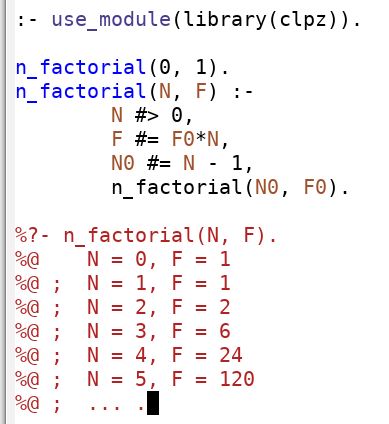
|
Installation
With Emacs≥24.1, the simplest way to install ediprolog
is to use Emacs's built-in package manager via:
M-x package-install RET ediprolog RET
Alternatively,
copy ediprolog.el to your
load-path and add the following form to your .emacs, then
evaluate the form or restart Emacs:
(require 'ediprolog)
After you have installed ediprolog, you can customize it
with:
M-x customize-group RET ediprolog RET
The two most important configuration options are:
- ediprolog-system, either scryer (default) or swi
- ediprolog-program, the path of the Prolog executable.
Usage
The central function is ediprolog-dwim (Do What
I Mean). I recommend to bind it to a suitable
key sequence. For example, you can bind it to the
function key F10 with:
(global-set-key [f10] 'ediprolog-dwim)
If F10 is not free on your platform,
bind ediprolog-dwim to any other key sequence. For
example, to bind it to C-c C-e, use:
(global-set-key "\C-c\C-e" 'ediprolog-dwim)
In the following, replace F10 with your custom
binding.
Depending on the content at point, ediprolog-dwim does
the "appropriate" thing: If point is on a query, it sends
the query to a Prolog process, and you interact with the process
in the current buffer as on a terminal.
Queries in Prolog source files start with ?-
or :-, possibly preceded by % and
whitespace.
An example of a query is:
%?- member(X, "abc").
If you press F10 when point is on that query, you get:
%?- member(X, "abc").
%@    X = a
%@ ;  X = b
%@ ;  X = c
%@ ;  false.
If you press F10 when point is not on a query,
the buffer content is consulted in the Prolog process, and point
is moved to the first error (if any). You do not
need to save the file beforehand, since the
buffer content (not the file) is consulted.
In transient mark mode, if the region is active, only the text
in the region is consulted.
When waiting for output of the Prolog process, you can
press C-g to unblock Emacs and continue with other
work. To resume interaction with the Prolog process, use
M-x ediprolog-toplevel RET.
For convenience, the most recent interactions with the Prolog
process are logged in the buffer *ediprolog-history*.
Use M-x ediprolog-localize RET to make any Prolog
process started in the current buffer buffer-local. This
way, you can run distinct processes simultaneously. Revert with
M-x ediprolog-unlocalize RET.
ediprolog-dwim with prefix arguments has special meanings:
| C-0 F10 |
kill Prolog process |
| C-1 F10 |
always consult buffer (even if point is on a query) |
| C-2 F10 |
always consult buffer, using a new process |
| C-7 F10 |
equivalent to ediprolog-toplevel |
| C-u F10 |
first load buffer into existing process and then, if on
a query, evaluate it
|
| C-u C-u F10 |
like C-u F10, with a new process |
Multi-line queries
ediprolog also supports multi-line queries. For this to
work, put the whole query in a comment block that
spans multiple lines.
For example:
/*
  ?- Vs = [X,Y,Z],
     Vs ins 1..2,
     all_distinct(Vs).
  %@ false.
*/
Using PceProlog, you can quickly
create such comment blocks with C-c q.
To evaluate a multi-line query, invoke ediprolog-dwim on
the first line of the query, which starts
with ?-.
More about Prolog: The Power of Prolog
Main page